Accessibility
Your accessibility scan came back clean. It tested a third of the criteria.
Manual WCAG 2.2 AA testing for charities and NGOs. I test your site the way disabled people actually use it — keyboard only, screen reader, at 400% zoom — on every unique template and every key journey. It forms part of the Blueprint Audit: £2,500, two to three weeks, and you own everything.
Why now
Web accessibility got worse this year, for the first time in seven
- 95.9%
of the top one million home pages carry detectable WCAG 2 failures
Up from 94.8% in 2025 — the first reversal in six years
- 56.1
distinct errors on the average home page
Measured across the same one million pages
- +10.1%
increase in errors per page, in twelve months
Attributed to rising page complexity, not falling awareness
WebAIM’s 2026 analysis of the top one million home pages found detectable WCAG 2 failures on 95.9% of them — up from 94.8% in 2025, and the first reversal after six consecutive years of gradual improvement. The average page now carries 56.1 distinct errors, a 10.1% increase in twelve months.
The cause is not falling awareness. WebAIM attributes the regression to rising page complexity — the average home page grew 22.5% in a single year, and ARIA usage rose 27% — driven by heavier reliance on third-party frameworks and AI-assisted development.
For charities, that pressure arrives from a specific direction: the site builders and AI tools marketed at small teams as the affordable option generate exactly the markup patterns this data is measuring.
Source: WebAIM Million 2026
The argument
What a free scanner actually tells you
Run an automated scan and you get a number. The number is real, and it is a small fraction of the picture — but the industry does not agree on how small, and it is worth understanding why.
Counted by WCAG success criteria, automated coverage is low. Deque’s own analysis found automated issues for 16 of the 50 Level AA criteria under WCAG 2.1. Accessible.org’s assessment is narrower still: reliably flagged on 13% of criteria, partially detectable on 45%, undetectable on 42%. A Government Digital Service evaluation found that, against 142 known accessibility issues, the best tools identified 30–40%.
Counted by number of issues found, the figure looks better. Deque analysed over 13,000 pages and nearly 300,000 issues across more than 2,000 audits, and found 57.38% of issues from first-time audit customers were detectable automatically.
Both are true. Automated tools are good at the failures that repeat thousands of times — missing alt attributes, low contrast, absent form labels — so they score well on volume. They cannot evaluate the criteria that require judgement, and those criteria are where the failures that actually stop someone donating live.
A site can pass an automated scan and still be impossible to give money to.
Sources: Deque, Automated Accessibility Coverage Report · Accessible.org, automated scan criteria coverage · GDS automated tools evaluation
A scanner cannot tell you
- Whether your alt text describes what the image communicates, or just names the file
- Whether a keyboard user can reach and operate every control, in a sensible order
- Whether focus is trapped correctly inside your donation modal, or escapes behind it
- Whether your form errors are announced to a screen reader, or only shown in red
- Whether the reading order a screen reader follows matches the visual order
- Whether the donation flow can be completed, start to finish, without a mouse
That last one is the test that matters.
What I test
Manual testing, on real assistive technology
Not a sample. Every unique page template on your site, plus every key user journey, tested by hand across six areas.
Keyboard operation
Full traversal of every template. Can you reach every interactive element? Is focus visible at every step? Is the tab order logical? Does focus escape from modals and menus, or is it correctly trapped? Can the donation flow be completed start to finish without a mouse?
Screen reader
Tested in NVDA on Windows and VoiceOver on macOS. Not “does it read” — whether the page makes sense read aloud. Heading structure, landmark regions, link purpose out of context, form labels and error announcements, and whether dynamic content updates are announced at all.
Colour and contrast
Every text, link, button and interface state measured against WCAG AA thresholds using the WebAIM contrast checker. Contrast was the single most common failure in the 2026 WebAIM data, present on 83.9% of pages tested, up from 79.1% a year earlier.
Zoom and reflow
Tested at 200% and 400% browser zoom. Does content reflow or does it clip? Does horizontal scrolling appear? Do fixed headers consume the viewport?
Automated baseline
axe DevTools run across every template, with results triaged rather than pasted in. False positives removed, real findings kept, everything cross-checked manually.
Forms and donation flow
A live test donation, completed by keyboard and again with a screen reader running. Form labelling, error handling, error recovery, timeout behaviour, and third-party embed accessibility — the payment iframe is usually where this breaks, and it is usually nobody’s job to check.
What you receive
Findings your developer can act on, in a report your Board can approve
Accessibility findings in the Blueprint report
Every finding recorded with the page, the element, the WCAG success criterion it fails, the severity, and the remediation. Prioritised by user impact, not by how easy it is to fix.
No finding is reported as a bare score. A number tells you nothing you can act on, so every finding states what it means for your organisation specifically — not “contrast ratio 3.1:1 on donate button” but “the donate button falls below AA contrast; users with low vision cannot reliably locate the primary action on the page you most need them to complete.”
A remediation sequence
What to fix now, what to fix next quarter, and what to design out at the next rebuild — inside the wider Blueprint roadmap, so accessibility work is sequenced against everything else rather than competing with it for budget.
The evidence behind your accessibility statement
If your organisation is caught by the 2018 regulations, publishing an accessibility statement is a legal requirement — and the requirement is that it is accurate. Most published statements are not, because they were written without testing. The audit gives you the tested findings a truthful statement has to be built on: what conforms, what does not, and where the gaps are.
And the rest of the Blueprint
Accessibility is one of ten areas the audit scores. You also get governance and compliance, content architecture, credibility signals, performance, search and AI citability, and a roadmap your Board can approve. Same fee.
The deliverable
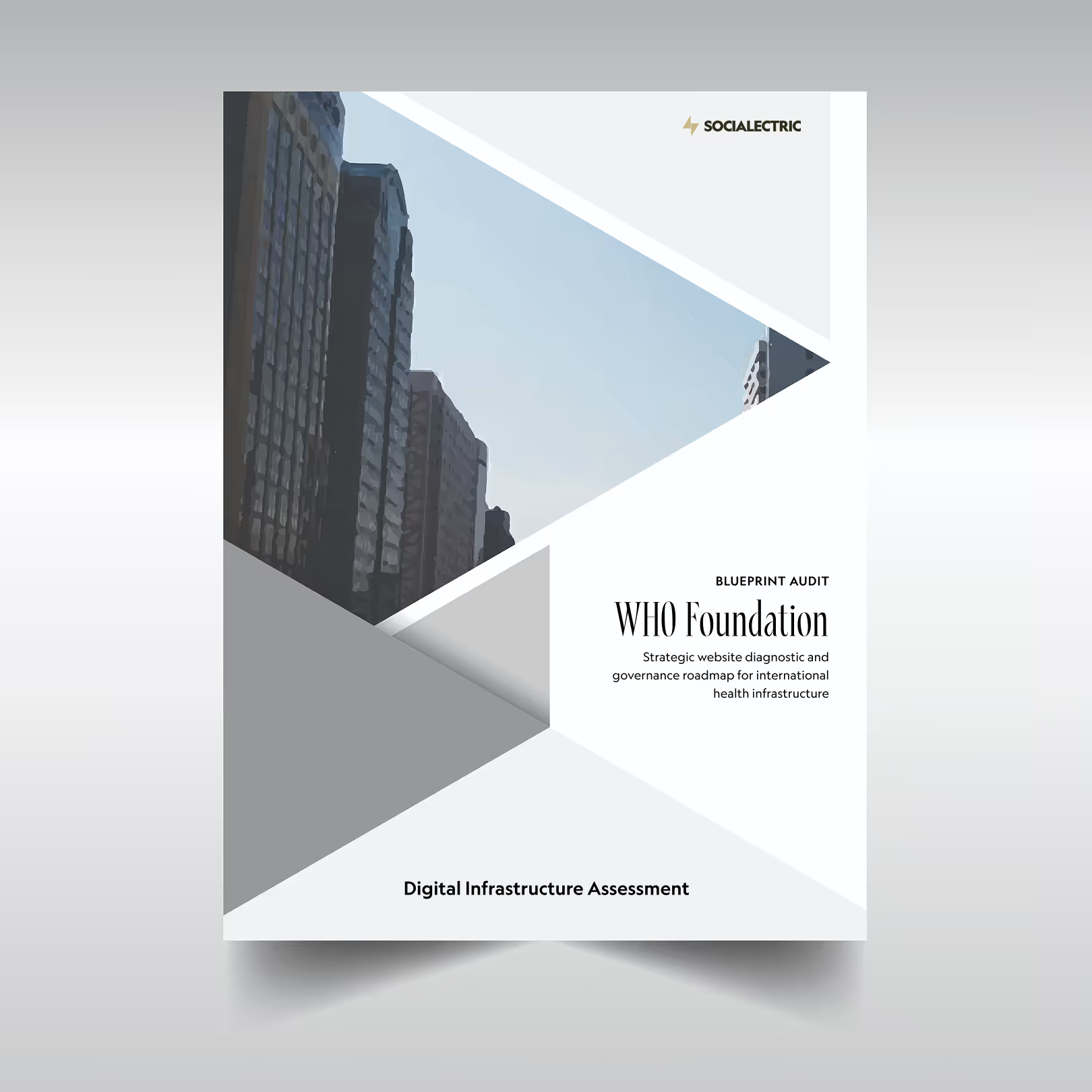
This is the report you receive
The cover and contents of a real Blueprint Audit, reproduced with the client's identity removed. Accessibility findings sit in section 1 — the scorecard, the critical findings, and what is already working.
SOCIALECTRIC
Blueprint Audit
[Your organisation]
Table of Contents
- Executive Summary
- What was audited
- The three most important findings
- Recommended path forward
- What happens if nothing changes
- Investment
- 1. Technical Audit Findings
- 1.1 Scorecard
- 1.2 Critical Findings
- 1.3 Needs Improvement
- 1.4 Strengths
- 2. Stakeholder and Audience Analysis
- 2.1 Audience Priority Rankings
- 2.2 Stakeholder Salience Map
- 2.3 Traffic Profile
- 3. AEO / GEO Assessment
- 3.1 Current AI Engine Accuracy
- 3.2 AEO Readiness Gaps
- 3.3 Competitive Positioning
- 4. Recommendations
- 4.1 Month 1: agreed site fixes, included in the engagement
- 4.2–4.5 Phased implementation plan
- 4.6 What to Stop Doing or Remove
- 4.7 Platform Recommendation
- 5. Next Steps
- 5.1 Implementation Plan
- 5.2 Questions for the Findings Call
- 5.3 If You Are Not Ready to Proceed
Section 4 is written for the organisation it was prepared for. Where the diagnosis does not support a rebuild, it says so, and section 5.3 covers what happens if you decide not to proceed.
Where you stand legally
What actually applies to you
Equality Act 2010
You are a service provider. The duty to make reasonable adjustments applies to the services you deliver online, and it is anticipatory — it does not begin when someone complains.
Public Sector Bodies (Websites and Mobile Applications) Accessibility Regulations 2018
Written for public sector bodies, but charities are caught where they deliver public functions or are financed mainly by public money. If they apply, you must meet WCAG 2.1 AA and publish an accurate, correctly structured accessibility statement.
European Accessibility Act (Directive (EU) 2019/882) and EN 301 549
In application since June 2025. Relevant if you sell, fundraise into, or provide services within the EU.
Funder and regulator expectations
Increasingly the binding constraint regardless of statute. Institutional funders ask, and the answer is a document, not an assurance.
The audit tells you which of these apply to your organisation and where you currently sit against each.
This is an assessment of technical conformance, not legal advice.
Who this is for
The Blueprint Audit is built for charities and NGOs where:
- You have been asked for an accessibility position by a funder, regulator or trustee and cannot currently answer
- You publish an accessibility statement you are not confident is accurate
- Your site was built by an agency who said it was accessible and nobody has verified that since
- You have run a free scan, fixed what it flagged, and suspect that was not the whole job
- You are about to commission a rebuild and want a baseline before the money is spent
It is not for you if you want a compliance badge or an overlay widget. Overlays inject corrective code over existing markup, cannot address most WCAG failures, and installing one is increasingly treated as evidence that an organisation knew and chose not to remediate.
And it is not for you if accessibility conformance is the only thing you need. The Blueprint is a whole-site diagnostic and it is priced as one. Say so on a call and I will tell you honestly whether it is the right fit.

Who is doing the audit
You work with one person, the whole way through.



Accessibility questions, answered
Book a Blueprint AuditThe next step
Find out what your scan missed
Two to three weeks, £2,500, and a report you can hand to a developer, a funder or your Board.